More workplaces are transitioning to Work from Home policies to ensure employee safety and support social distancing in order to avoid the spread of COVID-19.
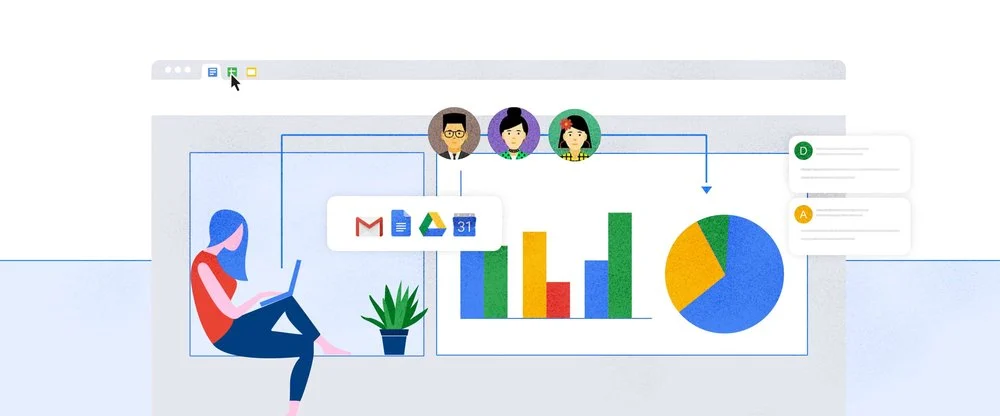
The following G Suite best practices will help your organization drive productivity and stay connected in support of your business continuity strategy.
Video conferencing and organizing remote events with your team members.
Hangouts Meet allows you to organize video conferencing with your team from anywhere and anytime.
Remote presentation with remote audience
Share presentations with your team by using Hangouts Meet. You can also record the meeting and share with your team members to catch up later.
Real-time collaboration with Docs, Sheets, and Slides
Collaborate on documents, spreadsheets, and presentations by using Docs, Sheets, and Slides. Edit simultaneously in real time, chat within files, and leave comments to give feedback or suggestions. All changes will be saved automatically and everyone will see the most up to date version.
Store, share, and access team resources from anywhere in the world
Save your files in Google Drive or Shared Drives and collaborate with your team instantly. Team members can access and share files at any time and anywhere.
Broadcast information for large groups or teams
Use Google Sites and build a web page to share with large audiences. You can target the audience and control when the updates are released.
Simplify communication with team mailing lists
Create Google Group email lists for your team. Send email to all team members at once. No need to send to each of them individually.
Coordinate project plans and schedule
Using Google Sheets to plan and track your ongoing projects in real time.
Stay organized with shared calendars
Google Calendar allows you to quickly see available slots for team members, making it easier for you to schedule a calendar for meetings or a short brainstorming session.
Empower employees or team members with project or team rooms
Stay connected by creating a Hangouts chat room for everyone to discuss or share ideas easier.
Collect information with Google Forms
Need to easily survey your team? Use Google Forms to collect and summarize data into graphs and charts and share with Google Sheets.
Our team are ready to support you work from home productivity and collaboration needs - Contact us by submitting this contact form or email us at gsuite@gopomelo.com
Start with a 30-min call
Free 30-minute scoping call
Engineers, not sales reps, on the call
Avg. response: under 4 hours, business days