
Microsoft 365 Insights: August 2025
Category
Category
Azure AI
Azure AI
Read
Read
2 min read
2 min read
Author
Author
GoPomelo Microsoft Team
GoPomelo Microsoft Team
Date
Date

What’s New in Microsoft 365: August 2025
The summary of key updates and enhancements in Microsoft 365 in August 2025

5 Microsoft 365 Copilot features to unlock everyday productivity
Whether you’ve just downloaded the Microsoft 365 Copilot app or are looking to get more out of it, you’ll want to know about these capabilities. Read more.
5 Microsoft 365 Copilot features to unlock everyday productivity
Whether you’ve just downloaded the Microsoft 365 Copilot app or are looking to get more out of it, you’ll want to know about these capabilities. Read more.
Bring AI to your formulas with the Copilot function in Excel
Enter a natural language prompt in your spreadsheet, reference cell values as needed, and watch Copilot instantly generate AI-powered results. Read more.
Availability: The COPILOT function is now rolling out to Beta Channel users with a Microsoft 365 Copilot license (get more details on licenses for businesses) and running:
Windows: Version 2509 (Build 19212.20000) or later.
Mac: Version 16.101 (Build 25081334) or later.

Bring AI to your formulas with the Copilot function in Excel
Enter a natural language prompt in your spreadsheet, reference cell values as needed, and watch Copilot instantly generate AI-powered results. Read more.
Availability: The COPILOT function is now rolling out to Beta Channel users with a Microsoft 365 Copilot license (get more details on licenses for businesses) and running:
Windows: Version 2509 (Build 19212.20000) or later.
Mac: Version 16.101 (Build 25081334) or later.

Analyze images with Python in Excel
Analyzing, manipulating, and gathering important information from images just became easier and faster! Read more.
Availability: This feature is available to Excel users who have access to Python in Excel (learn more) and are running:
Windows: Version 2509 (Build 19204.20002) or later.
Mac: Version 16.101 (Build 25080524) or later.
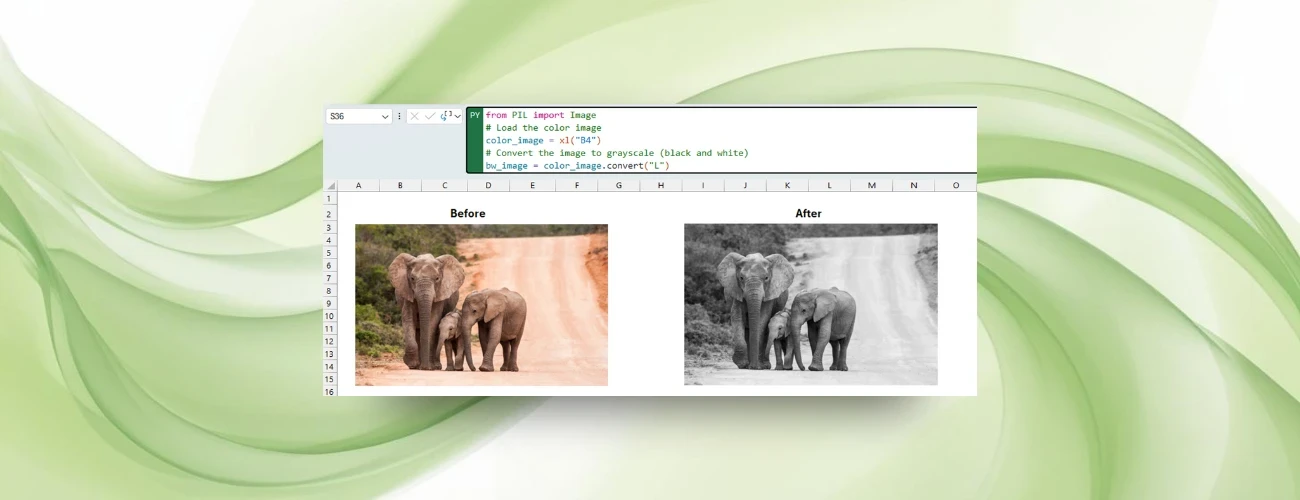
Analyze images with Python in Excel
Analyzing, manipulating, and gathering important information from images just became easier and faster! Read more.
Availability: This feature is available to Excel users who have access to Python in Excel (learn more) and are running:
Windows: Version 2509 (Build 19204.20002) or later.
Mac: Version 16.101 (Build 25080524) or later.

New pen tools and Draw tab customization in Word, Excel, and PowerPoint for Windows
The Fountain and Brush pens you love in OneNote are now available across other Microsoft 365 apps, and you can customize the Draw tab. Read more.
Availability: This feature is available to Word, Excel, and PowerPoint for Windows users running Version 2508 (Build 19127.20000) or later.

New pen tools and Draw tab customization in Word, Excel, and PowerPoint for Windows
The Fountain and Brush pens you love in OneNote are now available across other Microsoft 365 apps, and you can customize the Draw tab. Read more.
Availability: This feature is available to Word, Excel, and PowerPoint for Windows users running Version 2508 (Build 19127.20000) or later.

Get the most out of OneDrive with these little-known features!
Discover hidden treasures in OneDrive and take full advantage of this powerful blend of productivity, security, and seamless collaboration features. Read more.
Availability: This feature is available to OneDrive for Windows, Mac, Android, iOS, and Web users.
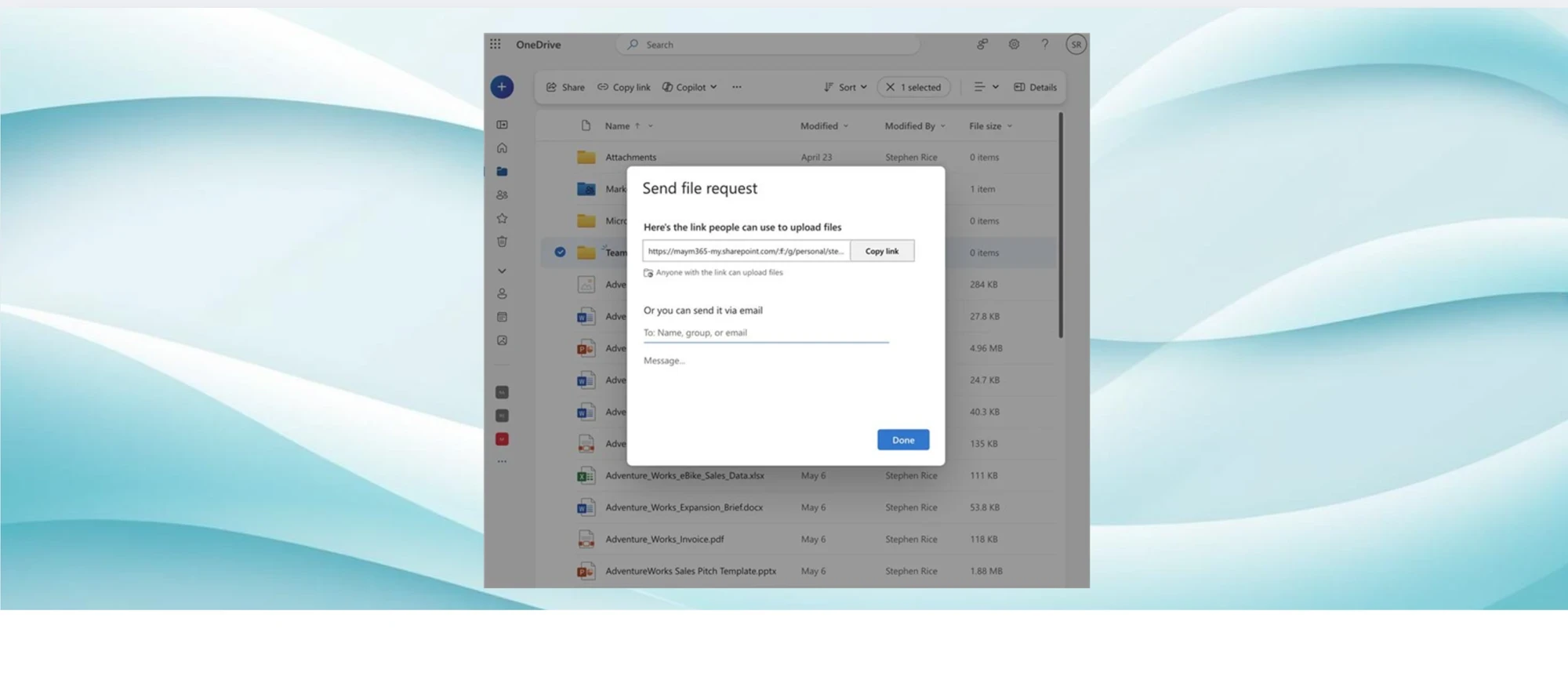
Get the most out of OneDrive with these little-known features!
Discover hidden treasures in OneDrive and take full advantage of this powerful blend of productivity, security, and seamless collaboration features. Read more.
Availability: This feature is available to OneDrive for Windows, Mac, Android, iOS, and Web users.

Improved margins in OneNote for Android and iOS
Your notebook pages will now look more polished and behave consistently across screen sizes, just the way you expect. Read more.
Availability: The mobile margin fix is available to OneNote users running:
Android: Version 16.0.19127.20046 or later.
iOS: Version 16.100 (Build 25080736) or later.

Improved margins in OneNote for Android and iOS
Your notebook pages will now look more polished and behave consistently across screen sizes, just the way you expect. Read more.
Availability: The mobile margin fix is available to OneNote users running:
Android: Version 16.0.19127.20046 or later.
iOS: Version 16.100 (Build 25080736) or later.
Paste text only shortcut in OneNote on Windows, for Mac, and for the web
Paste text without formatting from any source, be it a webpage or Outlook, using keyboard shortcuts. Read more.
Availability: This feature is rolling out to OneNote for the web users and OneNote users running:
Windows: Version 2508 (Build 19101.10000) or later.
Mac: Build 16.100 (25080335) or later.

Paste text only shortcut in OneNote on Windows, for Mac, and for the web
Paste text without formatting from any source, be it a webpage or Outlook, using keyboard shortcuts. Read more.
Availability: This feature is rolling out to OneNote for the web users and OneNote users running:
Windows: Version 2508 (Build 19101.10000) or later.
Mac: Build 16.100 (25080335) or later.

New microphone volume indicator in Teams
Get real-time visual feedback on your audio levels with a Mic indicator that moves when you speak. Read more.
Availability: To use this new feature, you must be a member of the Teams Public Preview or Microsoft 365 Targeted release and use the new Teams client on Windows or Mac.

New microphone volume indicator in Teams
Get real-time visual feedback on your audio levels with a Mic indicator that moves when you speak. Read more.
Availability: To use this new feature, you must be a member of the Teams Public Preview or Microsoft 365 Targeted release and use the new Teams client on Windows or Mac.

Save new files automatically to the cloud in Word for Windows
Now you don’t have to worry about saving your documents: Anything new you create will be saved automatically to OneDrive or your preferred cloud destination. Read more.
Availability: This feature is available to Word for Windows users running Version 2509 (Build 19221.20000) or later.
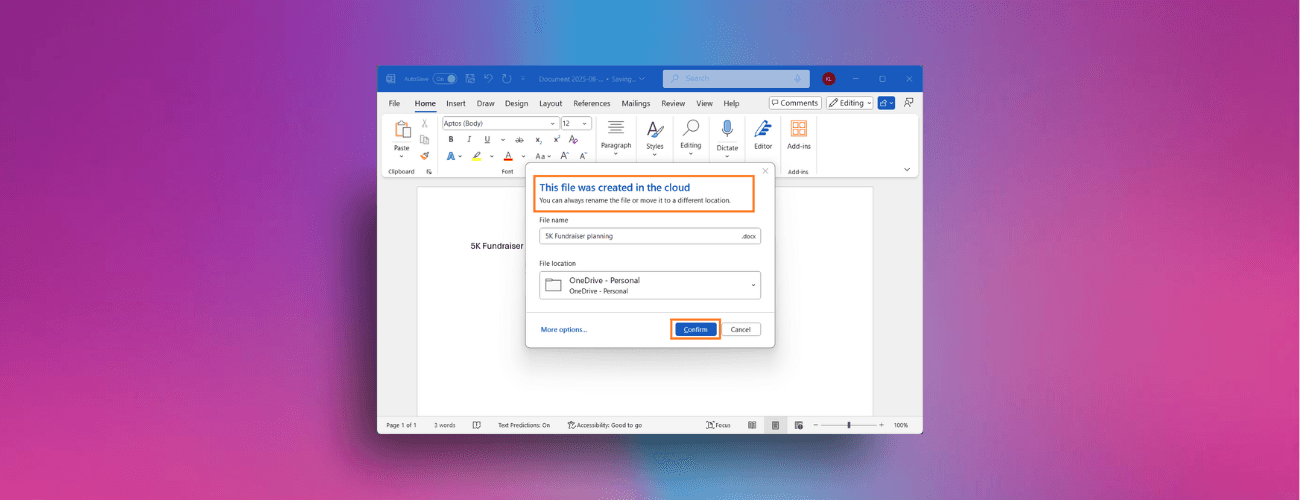
Save new files automatically to the cloud in Word for Windows
Now you don’t have to worry about saving your documents: Anything new you create will be saved automatically to OneDrive or your preferred cloud destination. Read more.
Availability: This feature is available to Word for Windows users running Version 2509 (Build 19221.20000) or later.
Listen to an audio overview of a document with Microsoft 365 Copilot in Word
Microsoft 365 Copilot in Word for Windows and Word for the web can now create a podcast-like audio overview of a document, transforming it into a fun listening experience and making it fast and easy to gather information. Read more.
Availability: This feature is available to all Word for the web users, and Word for Windows users running Version 2506 (Build 18925.20138) or later, with a Microsoft 365 Copilot license (get more details on licenses for businesses).

Listen to an audio overview of a document with Microsoft 365 Copilot in Word
Microsoft 365 Copilot in Word for Windows and Word for the web can now create a podcast-like audio overview of a document, transforming it into a fun listening experience and making it fast and easy to gather information. Read more.
Availability: This feature is available to all Word for the web users, and Word for Windows users running Version 2506 (Build 18925.20138) or later, with a Microsoft 365 Copilot license (get more details on licenses for businesses).
Source: https://techcommunity.microsoft.com/category/microsoft365/blog/microsoft365insiderblog
Share To
Share To
Start with a 30-min call
Get a free
30-min AI strategy call
Free 30-minute scoping call
Engineers, not sales reps, on the call
Avg. response: under 4 hours, business days