Microsoft 365 Insights: January 2025
Category
Category
Azure AI
Azure AI
Read
Read
2 min read
2 min read
Author
Author
GoPomelo Microsoft Team
GoPomelo Microsoft Team
Date
Date

What’s New in the Microsoft 365 – January 2025
The summary of key updates and enhancements in Microsoft 365 in January 2025

Reduce eye strain with Dark Mode in Excel for Windows
Excel for Windows now supports Dark Mode, which darkens your entire sheet including cells! Read more.
Availability: This feature is rolling out to Beta Channel users running Version 2502 (Build 18508.20000) or later.
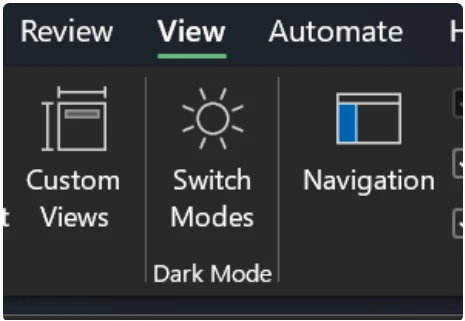
Reduce eye strain with Dark Mode in Excel for Windows
Excel for Windows now supports Dark Mode, which darkens your entire sheet including cells! Read more.
Availability: This feature is rolling out to Beta Channel users running Version 2502 (Build 18508.20000) or later.
Microsoft Excel, a year in review: unlocking insights with Copilot and Python
We released a variety of improvements and new capabilities, including the integration of Copilot, in Microsoft Excel in 2024. Read more.
Availability: All Microsoft 365 users

Microsoft Excel, a year in review: unlocking insights with Copilot and Python
We released a variety of improvements and new capabilities, including the integration of Copilot, in Microsoft Excel in 2024. Read more.
Availability: All Microsoft 365 users

Choose a breakout room as a Teams meeting participant
Simplify breakout room coordination for meeting organizers and participants with a new setting. Read more.
Availability: To use this new feature, breakout rooms managers and meeting attendees need to members of the Teams Public Preview or Microsoft 365 Targeted release and use the new Teams client on Windows or Mac.
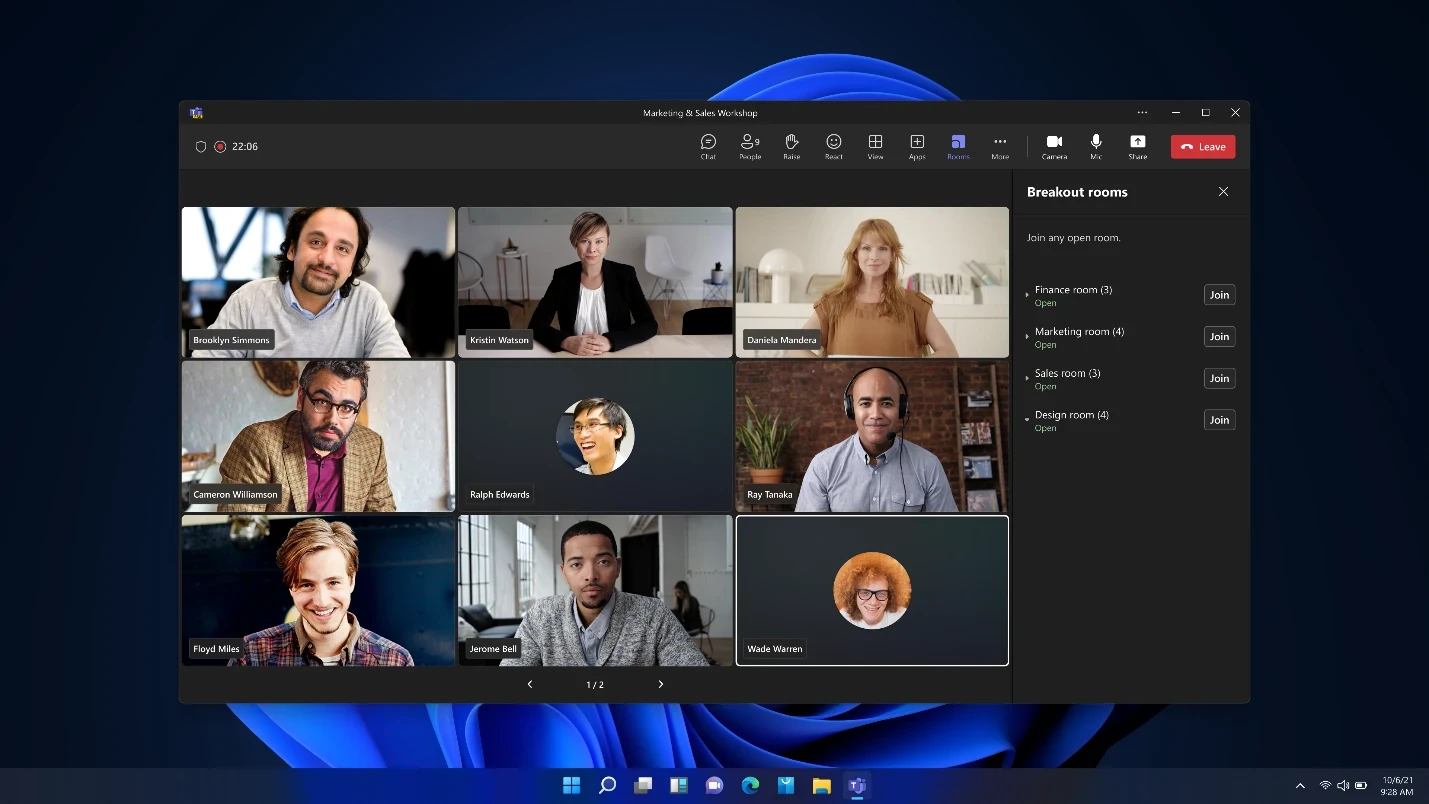
Choose a breakout room as a Teams meeting participant
Simplify breakout room coordination for meeting organizers and participants with a new setting. Read more.
Availability: To use this new feature, breakout rooms managers and meeting attendees need to members of the Teams Public Preview or Microsoft 365 Targeted release and use the new Teams client on Windows or Mac.
Pop out Chat, Copilot, and Notes panes in Teams meetings
Popping out Chat, Copilot, and Notes panes in Teams meetings can lead to improved focus and tracking of meeting activity. Read more.
Availability: To use this new feature, you must be a member of the Teams Public Preview or Microsoft 365 Targeted release and use the new Teams client on Windows or Mac. Other meeting participants aren’t required to be members of the Teams Public Preview.
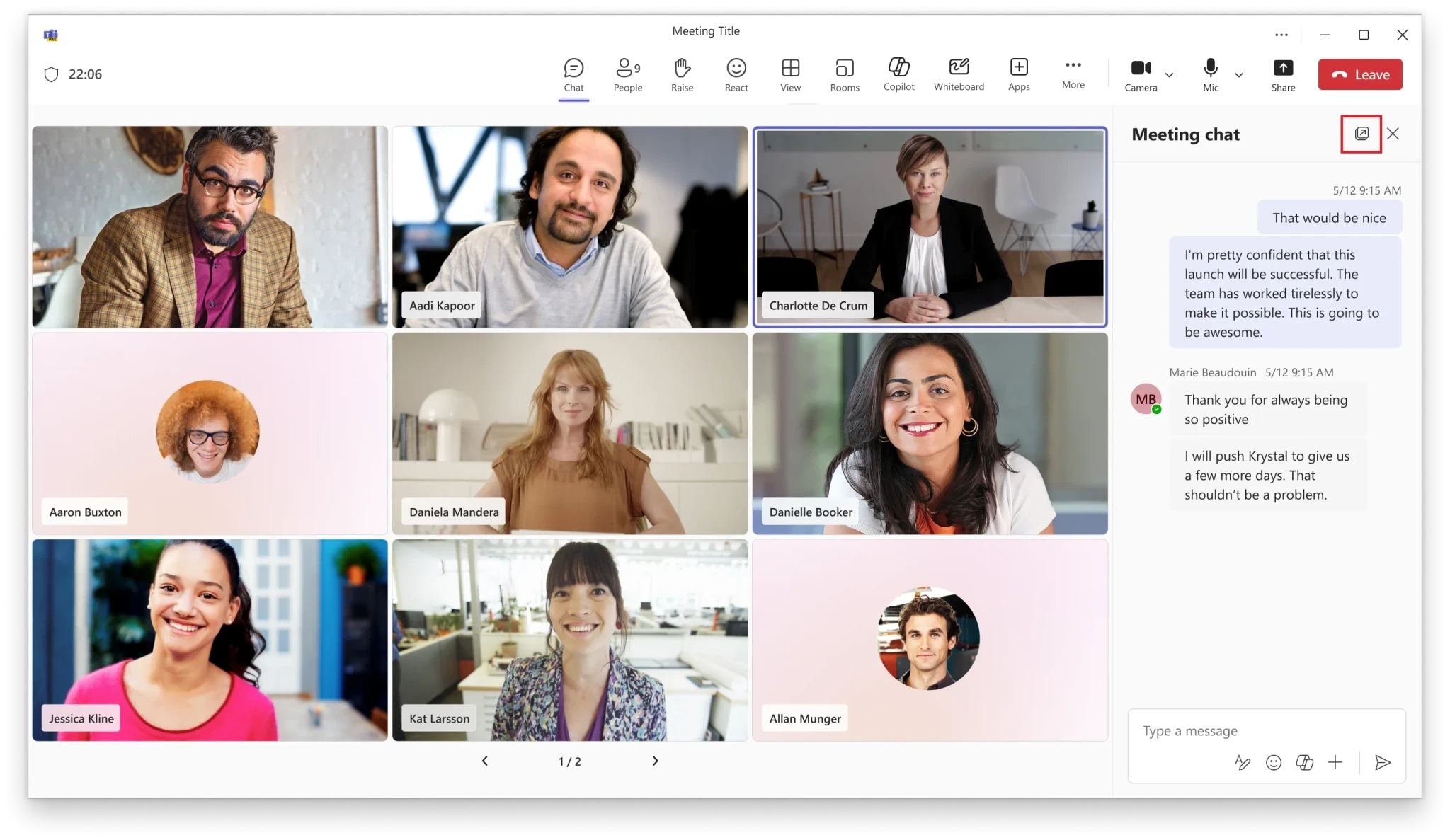
Pop out Chat, Copilot, and Notes panes in Teams meetings
Popping out Chat, Copilot, and Notes panes in Teams meetings can lead to improved focus and tracking of meeting activity. Read more.
Availability: To use this new feature, you must be a member of the Teams Public Preview or Microsoft 365 Targeted release and use the new Teams client on Windows or Mac. Other meeting participants aren’t required to be members of the Teams Public Preview.
Customize the location of notifications in Teams
Personalize where on your screen Teams notifications appear and make your setup more intuitive. Read more.
Availability: To use this new feature, you must be a member of the Teams Public Preview or Microsoft 365 Targeted release and use the new Teams client on Windows. Other meeting participants aren’t required to be members of the Teams Public Preview.
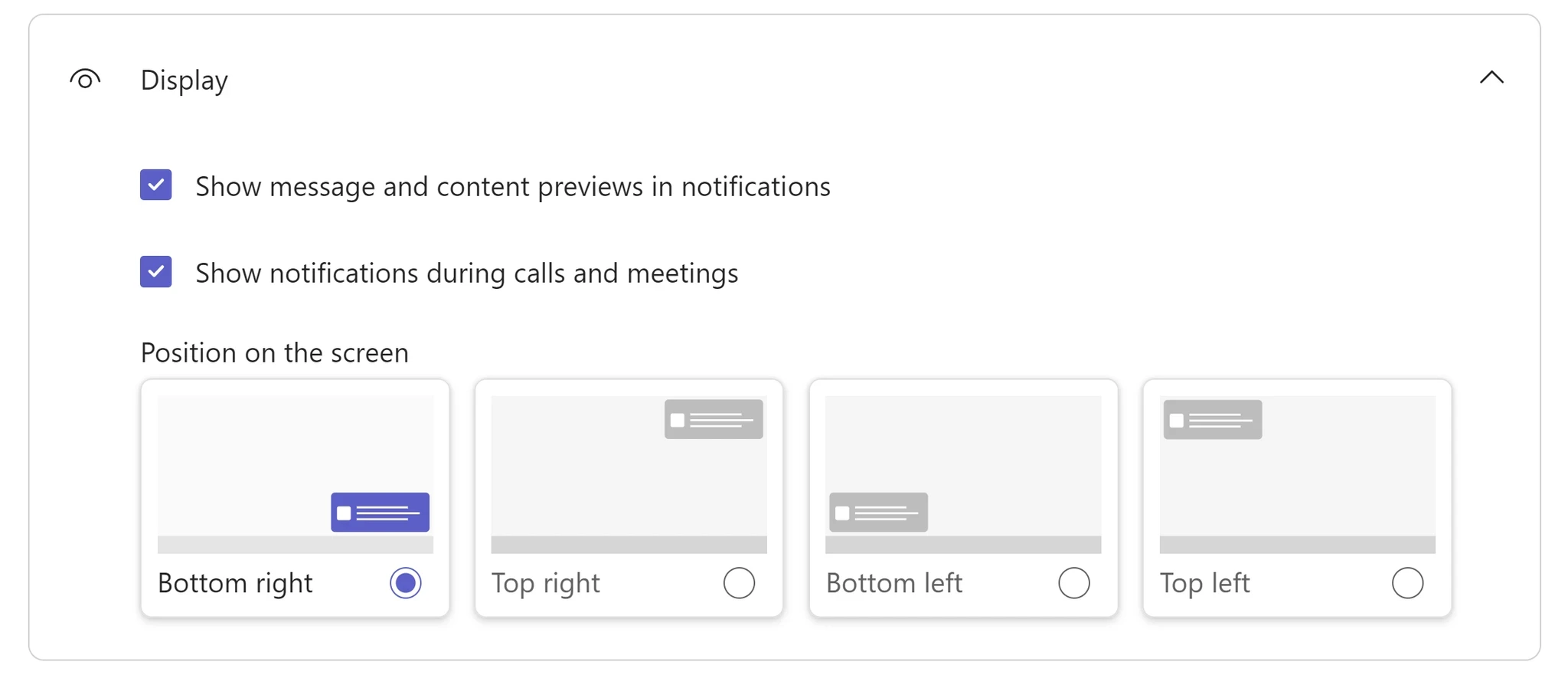
Customize the location of notifications in Teams
Personalize where on your screen Teams notifications appear and make your setup more intuitive. Read more.
Availability: To use this new feature, you must be a member of the Teams Public Preview or Microsoft 365 Targeted release and use the new Teams client on Windows. Other meeting participants aren’t required to be members of the Teams Public Preview.

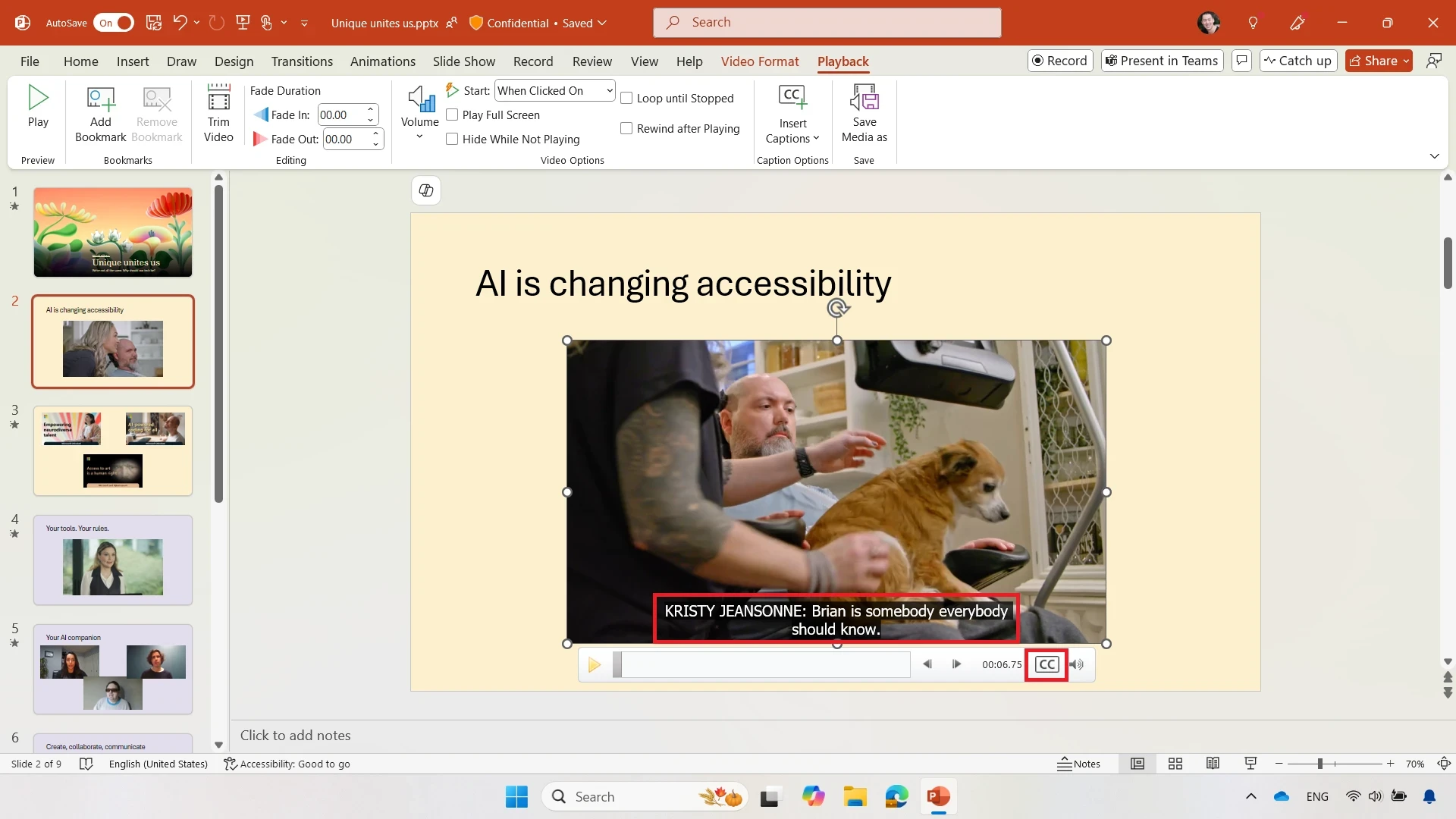
Caption videos in PowerPoint with SRT files
We’ve recently added support for SRT files to PowerPoint for Windows, macOS, and the web. These files are converted to the WebVTT format upon insertion to ensure great compatibility with earlier versions of PowerPoint and major web browsers. Read more.
Availability: Insertion of closed captions in SRT format is available in the following versions:
Windows: Current Channel Version 2411 (Build 18227.10000) or later.
macOS: Current Channel Version 16.91 (Build 24111020) or later.
Caption videos in PowerPoint with SRT files
We’ve recently added support for SRT files to PowerPoint for Windows, macOS, and the web. These files are converted to the WebVTT format upon insertion to ensure great compatibility with earlier versions of PowerPoint and major web browsers. Read more.
Availability: Insertion of closed captions in SRT format is available in the following versions:
Windows: Current Channel Version 2411 (Build 18227.10000) or later.
macOS: Current Channel Version 16.91 (Build 24111020) or later.

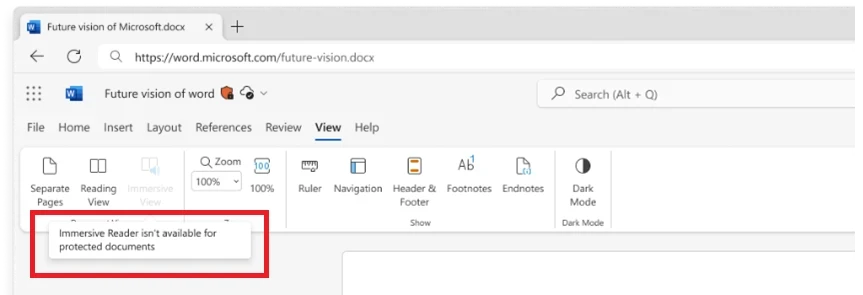
Disabling Immersive Reader for protected documents in Word for the web
This update enhances the security of confidential documents viewed on the web. Read more.
Availability: Immersive Reader is disabled for documents labeled confidential and highly confidential for all Word for the web users. Try this feature here.
Disabling Immersive Reader for protected documents in Word for the web
This update enhances the security of confidential documents viewed on the web. Read more.
Availability: Immersive Reader is disabled for documents labeled confidential and highly confidential for all Word for the web users. Try this feature here.

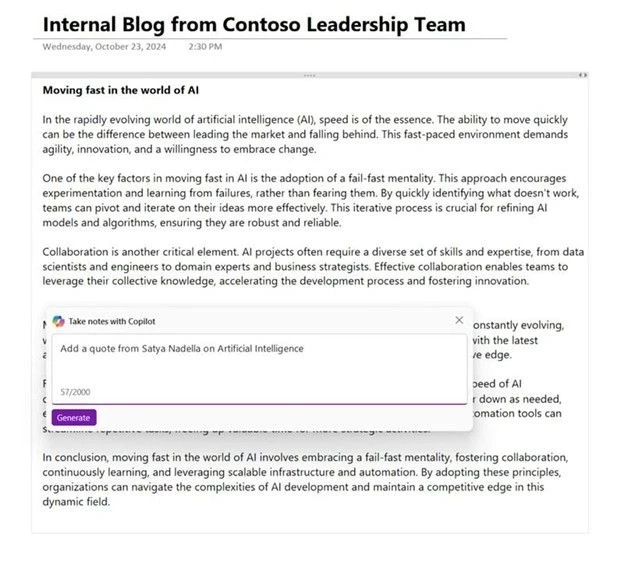
Microsoft OneNote, a year in review: AI innovation and enhanced creativity
In 2024, we refined and expanded OneNote features and capabilities. From AI to ink, here are some of our biggest achievements. Read more.
Availability: All Microsoft 365 users
Microsoft OneNote, a year in review: AI innovation and enhanced creativity
In 2024, we refined and expanded OneNote features and capabilities. From AI to ink, here are some of our biggest achievements. Read more.
Availability: All Microsoft 365 users

Microsoft Loop, a year in review: greater integration and richer collaboration
Loop’s biggest accomplishments in 2024 include the new Meeting Details experience and Loop components in OneNote. Read more.
Availability: All Microsoft 365 users

Microsoft Loop, a year in review: greater integration and richer collaboration
Loop’s biggest accomplishments in 2024 include the new Meeting Details experience and Loop components in OneNote. Read more.
Availability: All Microsoft 365 users
Source: https://techcommunity.microsoft.com/category/microsoft365/blog/microsoft365insiderblog
Share To
Share To
Start with a 30-min call
Get a free
30-min AI strategy call
Free 30-minute scoping call
Engineers, not sales reps, on the call
Avg. response: under 4 hours, business days